PostgreSQL migrations: change the schema and keep rollback possible
Plan a PostgreSQL schema change with compatible API versions, bounded backfills, lock checks and an application release sequence on Inquir.
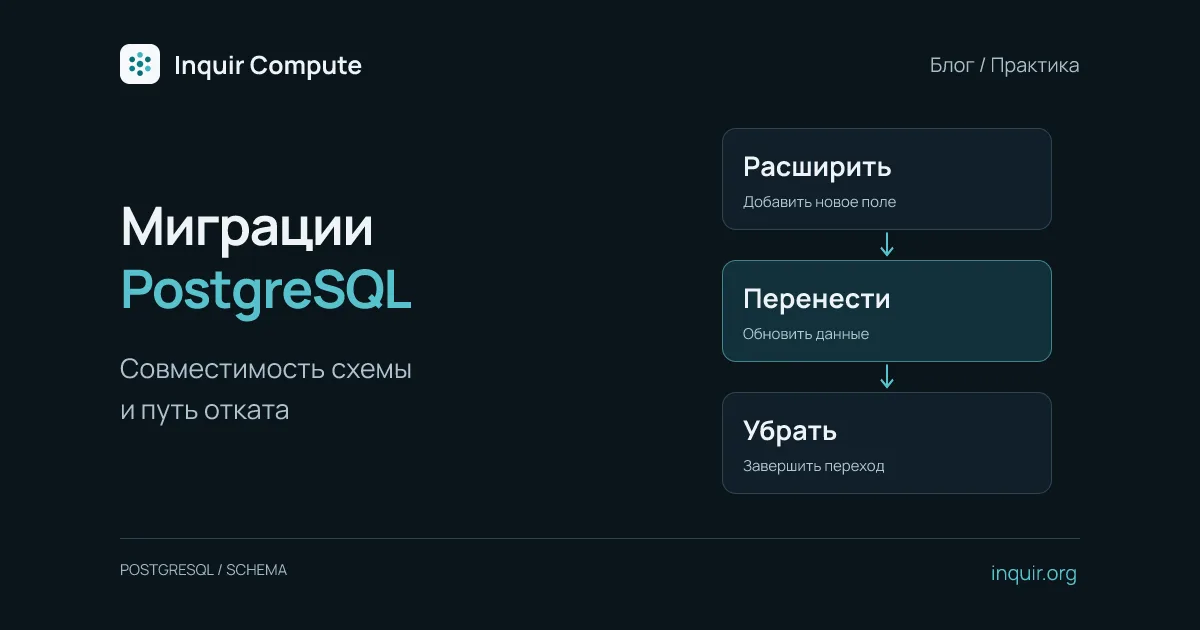
Rolling back a container can take one command, yet the previous API may fail immediately afterward. The code went back, but a PostgreSQL column was already removed. Database migration therefore deserves its own release plan rather than being hidden inside a Dockerfile or launched concurrently by every replica.
Consider replacing customers.name with display_name. The table and SQL below are teaching examples. Run them on a separate database copy first and adapt them to your schema and migration tool. A small engineering team still has concurrent writes and incompatible code versions to manage.
Write down compatibility before writing SQL
List which code reads the old field, which writes the new field, and whether the previous release remains usable after each step. Old processes and background jobs may still run during an update. They do not become compatible simply because a new API is ready.
Separate schema expansion, application transition and eventual cleanup. These steps may span several releases. Dropping the old column in the release that first introduces the new one removes an easy rollback path.
Add the new field without removing the old one
BEGIN;
SET LOCAL lock_timeout = '3s';
ALTER TABLE customers ADD COLUMN display_name text;
COMMIT;
Three seconds is an example lock-wait budget, not a universal recommendation. If the lock cannot be acquired, investigate and retry deliberately rather than building an endless retry loop. Even a short ALTER TABLE operation may require a strong lock. Check the exact operation and database version against the ALTER TABLE documentation.
The next application version reads COALESCE(display_name, name) while retaining compatibility with the old field. Upgrade all writers to update both values in one transaction first. Dual-writing only in the new API is insufficient while old writers still exist: an old process could update name alone and introduce divergence. You need temporary synchronization or completion of the writer rollout before starting the backfill.
Backfill in bounded batches
Once old writers have stopped, fill existing records. For an example table with a numeric primary key named id:
WITH batch AS (
  SELECT id FROM customers
  WHERE display_name IS NULL AND name IS NOT NULL
  ORDER BY id
  LIMIT 1000
)
UPDATE customers AS c
SET display_name = c.name
FROM batch
WHERE c.id = batch.id AND c.display_name IS NULL;
Repeat in separate transactions until no eligible rows remain. One thousand rows is an initial experiment size. Measure runtime, WAL generation and the effect on foreground queries. A large table also needs an efficient way to find remaining rows; repeated scans can become expensive even when each update is small. Pauses and resumability matter more than maximum throughput at any cost.
Check missing-value counts and sample the result, including records changed during migration. Do not add NOT NULL until missing names have a defined treatment. If an index is required, review CREATE INDEX CONCURRENTLY separately: it has restrictions and cannot run inside an ordinary transaction block. A migration tool that wraps every operation in a transaction needs explicit handling.
Fit the migration into an Inquir release
Use the application’s private PostgreSQL connection described in the connection guide. Execute SQL as a separate controlled step from an environment that can reach that network. Do not expose the database publicly just to run a one-off migration, and do not start the same migration from every API container.
After expanding the schema, build a compatible application candidate:
inquir apps deploy customer-api
inquir apps status customer-api
These commands assume the application already exists. Inspect the candidate, then pass its real identifier to inquir apps promote <releaseId>. A preview connected to the production database can modify real records. Use read-only checks or a separate database for tests that write data. See the CLI guide for command setup.
The promotion decision should include business checks, not merely an HTTP 200: read an old record, update a test record, run the relevant worker and verify that the previous compatible version still understands the schema. Record which migration version and application release were tested together.
Prepare a restore procedure, not just a dump file
Before the change, verify that a usable backup exists and restore it into a separate database. pg_dump produces a logical export of one database; it does not automatically provide your required recovery time or acceptable data-loss window. Measure those properties with your own data volume.
Remove name only after checking every reader, writer and the intended rollback window. inquir apps rollback customer-api changes the application release, not the PostgreSQL schema. If old code requires a removed column, restoring compatibility becomes a data operation too. Keeping destructive cleanup in a later release makes that boundary explicit.