
Follow these steps to get your first function running in under a minute:
- Open the Functions page and click + New Function.
- Enter a name for the function (for example,
hello-world) and click Create. - The editor opens with a default handler. Edit the code, or keep the default to continue.
- Click Run in the test panel to invoke the function.
- Review the result and logs in the right panel. Open the Traces tab there to see recent runs of this function, or open the Executions page in the sidebar to see runs across all functions.
index.jsjs
// Gateway HTTP: POST JSON is in event.body (string). Editor Run: the JSON you type is the whole event root.
const payload = typeof event.body === 'string' ? JSON.parse(event.body || '{}') : (event || {});

exports.handler = async (event, context) => {
  // Example: const { name } = payload;
  return {
    statusCode: 200,
    body: JSON.stringify({ message: "Hello from Inquir Compute!" }),
  };
};
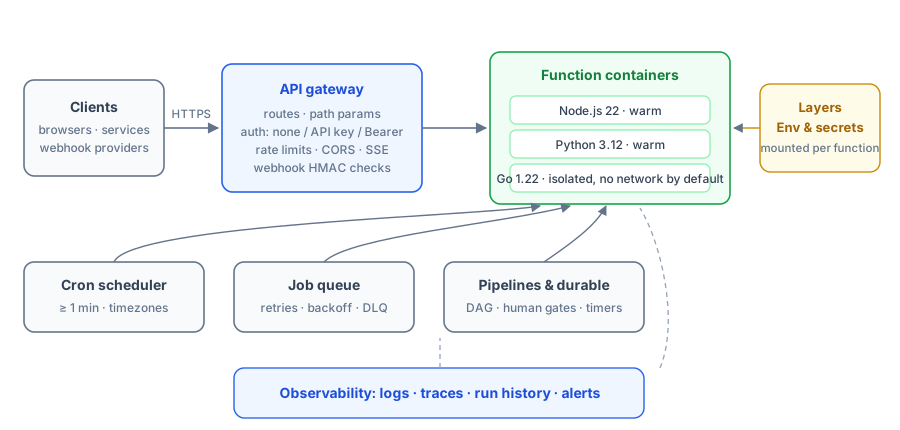
To speed up subsequent invocations, click Deploy in the sidebar footer to warm up a hot container: a warm invoke reuses a container that is already running, so it skips the cold-start work of creating the container, booting the runtime, and loading your handler. Hot containers stop automatically after 10 minutes of inactivity to free resources.